
This post may contain affiliate links.
Instead of waiting for 3rd party ads to load, you get a list of hand-picked ads that I manually link to and make a small commission if you purchase from that link at no extra cost to you. I also link to other places I don’t make a dime if you buy. Don’t buy anything you don’t want.
Read more about it here: Affiliate Disclosure
Featured Products


There’s just too many options out there for blog design tools that you could almost turn it into a full semester’s worth of a college course just to get to know what’s out there, the features, and an overview of how they work. This page is almost a crash course in that because it’s trying to list what’s out there.
Recommended Blog Design Tools
I have tried quite a few of the options out there. While many bloggers love these other options, I have found the easiest, most user-friendly, fastest and prettiest way to make a blog or website is to harness the following:
- Self-hosted WordPress
- Astra Theme
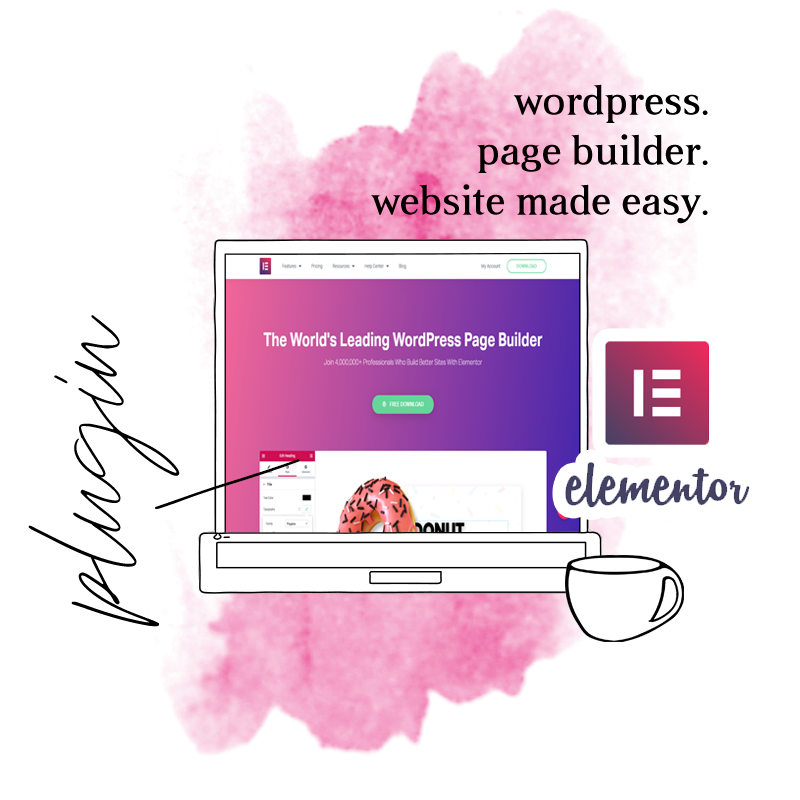
- Elementor Page Builder Plugin
The reason I recommend this is because Self-Hosted WordPress gives a little more freedom, access to the files, and kind of puts you in more control than the other options.
Astra is super-fast loading lightweight theme. The free version gives a lot of design options for a free version. The paid version, you can virtually do anything without needing a page builder. I highly suggest to consider buying the paid version if you are a graphic designer who plans on making a lot of websites because it’s one of the few things out there that you get unlimited websites you can build with it.
Elementor is a super easy drag n drop style page maker. Of all the pagemaker plugins, it’s the easiest to learn and has the least amount of technical blips. I feel like it loads faster than all the other options, though I will link to all the options later in this post.
Platforms
This is more for the blog than the blog design, but the platform is basically what the blog or website is built upon. On the internet, you have to have an address (your domain) and a storage (your files) in order to have a website. You can pay to store your files on someone else’s host via hosting services, or you can utilize one of the free ones.
I still highly recommend using Self-Hosted WordPress on Lyrical Host. Save 10% with my affiliate coupon code: BEHAPPY
You can self-host wordpress on just about any hosting site. Visit their sites for details on that.
Other options include wix, weebly, squarespace… Most of the recommendations here are for WordPress.
Free options include Blogger, and Free-Wordpress.
Tools for Writers who just want to Write >> How to Write without Needing a Huge Blog.
WordPress Themes and Blogger Templates
With both WordPress and Blogger, you can find themes that are free, and some you can buy. For the most part, you get what you pay for.
The headache of design really diminishes when you buy a theme. Paid themes usually come with…
- More Design Options (like changing the colors in all the places instead of 3 places)
- More layout options
- Customer Support
Let me just put it like this. People who make themes for a living, who can build an entire website using code, end up paying for themes just because it’s faster and easier. Just about every graphic designer out there I’ve seen who want to build your website for you for $3000 are using a paid theme on their own website. Some I’ve caught using other people’s design templates. They didn’t think I’d notice, but I did.
Genesis Framework
This one is confusing. I’m not going to get into the tech of it because my understanding of it is quite elementary. All you have to know is this is a thing, probably made of a bunch of codes, that you install on a WordPress Site so you can get one of those pretty themes that require Genesis Framework.
Not all themes require this.
This doesn’t work with all themes. Just the themes built for it.
The Way it Works (these are not links)
Buy the Framework
for about $59.95
Buy a Theme
(usually about $60)
One of the theme stores I link to later gives away the framework with their theme.
The other option is to get hosting from WP Engine, which includes many free themes and a free Genesis Framework, but their hosting usually starts at around $35 a month for one site. With Lyrical Host, I paid a little more than $10 for one site, and they are a premium hosting provider. I think you bank by buying the framework outright.

Best Places for Themes and Templates
Astra: My favorite because it’s like a white page that you can do anything with. Also lightweight and fast loading — good for SEO
Hello You Designs will put hearts in your eyes. I’m not an affiliate with them, but I have a non-lesbian crush on their designer(s). I believe all their themes require the Genesis Framework.
17th Avenue: $$ WordPress Themes (most seemingly have a Free Genesis Framework with Purchase)
Bluchic Themes: $$ WordPress themes plus the must-have Landing Page Templates; affiliate link.
Restored 316: $$$ WordPress Themes; requires you to already have Genesis Framework
Georgia Lou Studios: $$ WordPress and Blogger Themes and one free blogger template plus many free awesome worksheets.
Her Park Studio: $$ WordPress and Blogger Themes
Bass: $$ WordPress and Blogger
Envye: $$ WordPress and Blogger
EmPress: $$ WordPress Themes “for a home on the web that’s as beautiful as the content you create.” I’m in love with their own site’s design.
Eclair Designs: $$ WordPress Themes
Pretty Darn Cute Design: $$ WordPress Themes, Requires Genesis Framework
Gooyaabitemplates: Free Blogger Templates
Just Free Themes: Free wordpress themes to peruse through.
Template Monster: Free and Paid themes, but a nice filter for customized search options
Theme Forest: They have many themes you can purchase, but their free themes seem pretty professional.
♥ MH Magazine Lite: The Lite version has basic functionality, but for $49, you can get the regular theme, and it’s awesome. This is ideal for a blog e-zine that has a lot of articles and you want more control over the layout.
Vantage: This is one of my favorite free themes of yesteryear because they were one of the first to have a page builder in the theme. I like to link to it for sentimental reasons, but last time I used it, there were some issues with DreamHost liking the way they coded things (though GoDaddy was fine with it), and it really lagged on page loading.
If you google “Free WordPress themes,” a gazillion lists of options pop up and you can be searching for hours. But I personally like the lists people compile, and I look for themes that are recommended based on functionality, speed, and what I’m looking for in design. Fair Warning, many listicles show paid and free themes in their post.
WARNING: Do not use Pipdig Themes. They seemingly purposefully used malicious codes to do some bad things including infringing upon GDPR rights, and they were also hesitant to refund money to people who could no longer use their themes. The link above takes you to an article that explains it more.
Because I’m an affiliate with Bluchic, I’m just going to throw in some eye candy… It was time for a picture anyway… Click on it to go see more.

Page Builder Plugins
The idea of WordPress was to make it pretty and easy to just type in words, and share it on a website. But as time progressed, so did the websites, and people wanted more. They want to blog, but they also wanted beautiful stand-alone pages of their own design, especially landing pages to sell an item.
Page Builder Plugins were developed in order to harness the ease of blogging with WordPress but also get the ease of drag-n-drop page builders many hosting sites offered as an alternative to WordPress. You can get the best of both worlds.
Elementor is my top recommendation. It has the least amount of bugs, is most user-friendly, and it’s pretty affordable if you want to go Pro. That’s my affiliate link.
Thrive Architect is probably my second recommendation just because they offer a lot of products beyond the page builder with a low monthly fee. This might be more ideal if you’re planning on building something like online courses and you want to kill two birds with one stone.
Slider Revolution: This helps build more animated pages.
General Blog Design Tools
W3Schools Try It Editor: Type in HTML and see what it looks like
Colour Lovers: It’s a social media for colors, but they offer some great palette ideas to help with branding and design. They also have a tool where you can upload any photo and find a good color scheme or palette from the photo. But my favorite thing about it is that people can like and favorite palettes, and that gives you an idea of what’s popular instead of just thinking about what seems pretty to you. This blog’s palette is from there.
ColorZilla: Chrome or Fire Fox extension that lets you pick a color from your screen and it gives you the hex value. They also have a gradient generator.
Built With Technology: My favorite thing is they have an extension tool that lets you see what websites are built with. Visit any site, it doesn’t have to be your site, and click the icon, and then you can see things like who their hosting is, who their past hosting is, their content management system, plugins, etc. I have found some of the best things by seeing what my favorite sites are already using. I’ve also noticed one blogger whose testimonial is advertised in one plugin that had me thinking about getting that plugin because she uses it, well I went to her site and found out she’s using a totally different plugin. Built With also provides Web Technology Trends on their main site. This is one of my favorite blog design tools simply because I generally want the thing I’ve seen elsewhere.
CSS Peeper: Chrome extension that lets you see the CSS on a site. By clicking it while visiting a site, you can quickly see what fonts and colors are being used on the site, and then you can click further into the site for more details. This is a great addition to “inspect element.”
WordPress Plugins
Plugins are things you add to a Self Hosted WordPress site to make it function a little more. You cannot add them to the free wordpress as of now.
Just keep in mind I have learned with years of blogging that you don’t want too many plug-ins. They slow things down, often work against each other, and if they aren’t being updated, it’s hard to tell if they will still work every time wordpress updates.
Because this list can get so extensive, I’m just going to focus on some basics and recommended places. For the most part, you’ll want to Google what you’re looking for, such as WP Plugin to Optimize My Pictures, and then try to make a judgment call based on the features, the screenshots or demo if available, and how often it’s being updated.
Security
Wordfence OR Wordfence Premium >> Anti-Hacker. It’s basically security software to help stop hackers, malware, and all the bad things.
Akismet >> Anti-Spam
Sitemap
If your SEO plugin doesn’t offer this (sometimes they do), or if you want a better one than they offer, this one is usually most recommended, and beware there are several with the same name so look for who made it.
Google XML Sitemaps by Arne Brachhold
SEO
SEO is the way to do your blog or site in a way that Google understands that you’re the best place to link to when people search for things you’re about.
I honestly think the best thing for SEO is to actually learn it, take a course on it, because it’s more about a practice than a software can compute.
Some very basic practices include:
- Make your site as fast as possible to load
- Utilize keywords and lsi keywords (more like related words, but not exactly synonyms, more like if your keyword is recipes, then Google expects to see the word cup, tablespoon, mix, pour, bake…. )
- Link out to relateable, relevant sites with good domain authority
- Get people with good domain authority to link to you
- Write alt text, descriptions, and all that on all your photos / pictures
Here’s an awesome course I recommend…

Navigating SEO
Lyrical Host offers this amazing, in-depth course on Navigating SEO. Lyrical Host has always been a trusted source who is ethical and honest. You don’t have to act now, but if you want to learn more, this is my affiliate link…
However, you almost need a plugin to do some basic things beyond what you can do with WordPress.

#1 Best Free SEO Plugin
Rank Math: This is my current top recommendation. It’s probably the most robust for a free plugin. It also offers redirection management, open graph, and an XML Sitemap (if it didn’t, you’d probably want to get all those as 3 more plugins). Among other things…. Plus it is so far the only one that lets you add keywords to your Elementor Pages.
I almost don’t want to mention anyone else.
Social Media
Open Graph
If you are using Rank Math, you don’t need any additional open graph plugins, but if not, open graph plugins make it more possible to control how images are shared on Facebook and allows for Rich Pins on Pinterest.
– A W E S O M E R E A D –
What You Need to Know About Open Graph Meta Tags for Total Facebook and Twitter Mastery
Twitter Stuff
This lets you set up your Twitter shares the way you want it. You can set it up so that when someone clicks the twitter icon to share, instead of just a text tweet, you can have a photograph and text. It can convert any tweet of the article to a graphic plus tweeted message. You don’t see it until you tweet it.
Click to Tweet and Better Click to Tweet lets you make twitter tweets in your text where readers can click it to tweet that specific message. Make sure to watch the character limit once you add a link.
Pixel Tracking
Manage your Facebook Pixel or Google Analytics code with a single plugin and add ANY other script (Head & Footer feature). The Pinterest Tag can be implemented via free add-on. PixelYourSite Global Events will automatically track important actions and send them to all your configured pixels (searches, form submit, comments, downloads). You can fire your own events with zero coding. WooCommerce and Easy Digital Downloads are fully supported, with Facebook Dynamic Ads pixel setup and Google Analytics Enhanced Ecommerce.
If you want to track your FB ads and conversions, you’ll need to insert code for your FB Pixel onto your site. This plugin is Facebook’s official version, but it really isn’t doing too hot in reviews. Pixel your site (mentioned before this one) sounds way better IMO but I haven’t tried it to know.
Social Sharing
This is the best deal on the market so far I can see as far as features and pricing goes.
This one is probably the most popularly recommended among bloggers. I’ve seen it recommended the most in Facebook groups and testimonials.They have a free version and a pro-version.
Grow by Mediavine / Social Pug
This is probably the most popular among bloggers by actual use. When I see someone killing it on the internet, whether their site is awesome or they are dominating social media, I tend to use my Built With google chrome plugin that tells me what that site is using like WordPress vs Squarespace, if they have Genesis Framework, and plugins that are operational. The most popular plugin I’m seeing when I do this is Social Pug. My guess is it’s because they use Mediavine for their advertising which tells me they probably didn’t use this plugin until they got the amount of monthly pageviews to get them on Mediavine, and they probably used Social Warfare to get to that point like they all recommended in Facebook.
This is feature packed robust does it all. Social shares, social followers, social auto poster, advanced analytics, boost old posts, let people login to your site using their social media, social meta tags (open graph), click to tweet… It’s like all the plugins in one.
Free, and won’t slow your site down at all. This is the most basic essentials to share blog posts. No counters. No extra scripts. Also has a place for a heading like Sharing is Caring (so it seems, not positive).
This is a plug in to make nice share buttons at the end of a post. It’s MY FAVORITE FREE ONE! Other plugins feature this sort of thing, but Share A Holic is so much nicer for it. Plus it can offer Related Posts at the bottom as well. This is the one that lets you put a message over it like, “Sharing is Caring.” You can also make money with it, but you can set it up to be non-monetary and just you. Just know, it defaults to some money makingness and you have to take that off in the settings. The money making related links tend to be spammy.
It’s free, and it has a lot of customization options like uploading your own icons. It also has capabilities to share to a crap ton of social media places, things you didn’t know existed. Of course, less is more with this so pick like 5 or less to share to option.
Social Following
On a blog, you have social icons to share a post, but then you want social icons to invite people to follow you on social media.
Some of the social share options above allow for social following as well.
Elementor has a social button follow me block.
Simple Social Icons is a plugin that is an easy to use, customizable way to display icons that link visitors to your various social profiles. With it, you can easily choose which profiles to link to, customize the color and size of your icons, as well as align them to the left, center, or right, all from the widget form (no settings page necessary!).
Pin It

